AI Inpainting
Fix a photo without redoing it. Upload an image, paint over the area you want to change, describe what should be there instead — Wandura regenerates just that region and leaves everything else untouched.
Edit Exactly Where You Point
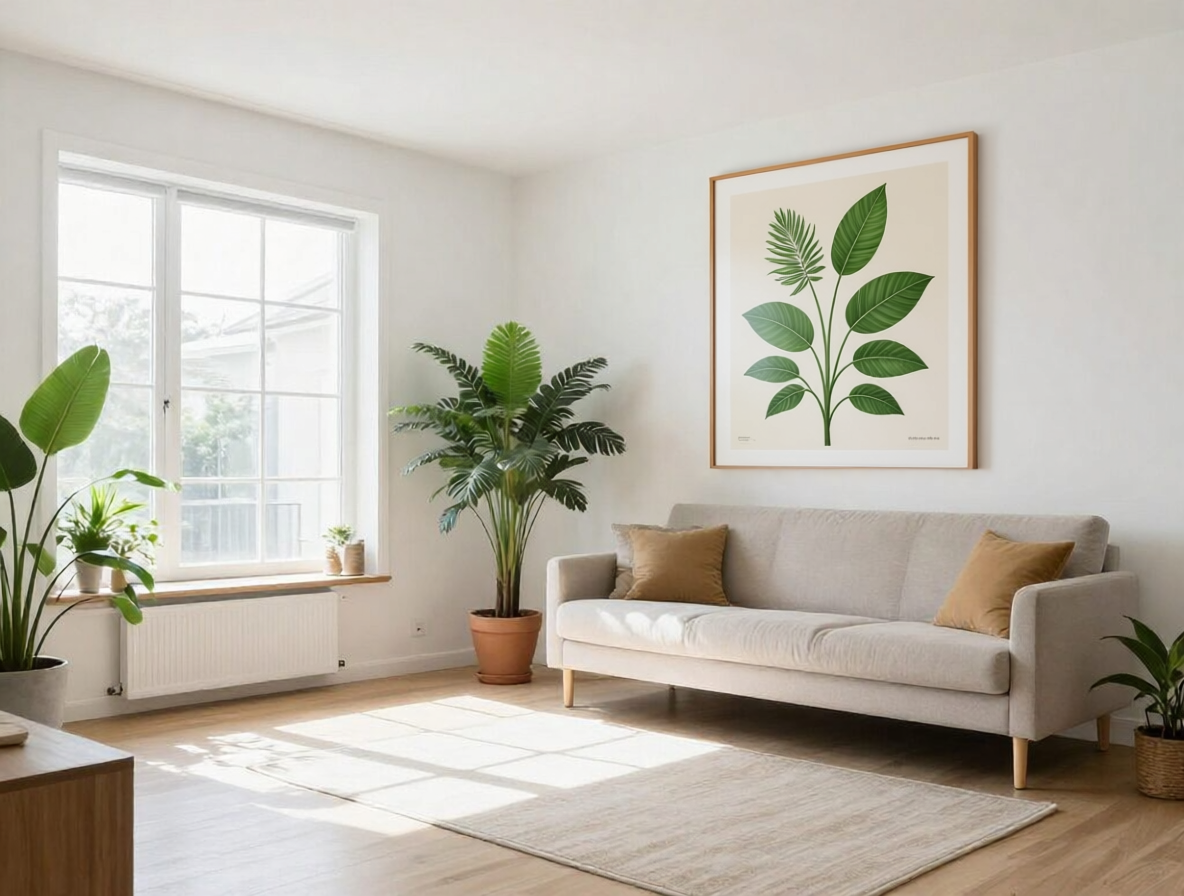
Wandura inpainting runs on Qwen Image Inpaint at $0.04 per image — a model built for precise, seamless region edits. The brush is your scalpel: only pixels under your painted mask are regenerated, so the rest of the photo keeps its original lighting, grain and detail. The comparison here is a real generation from this tool: a bare wall, masked and prompted into a framed painting — the rest of the room untouched.
Try AI Inpainting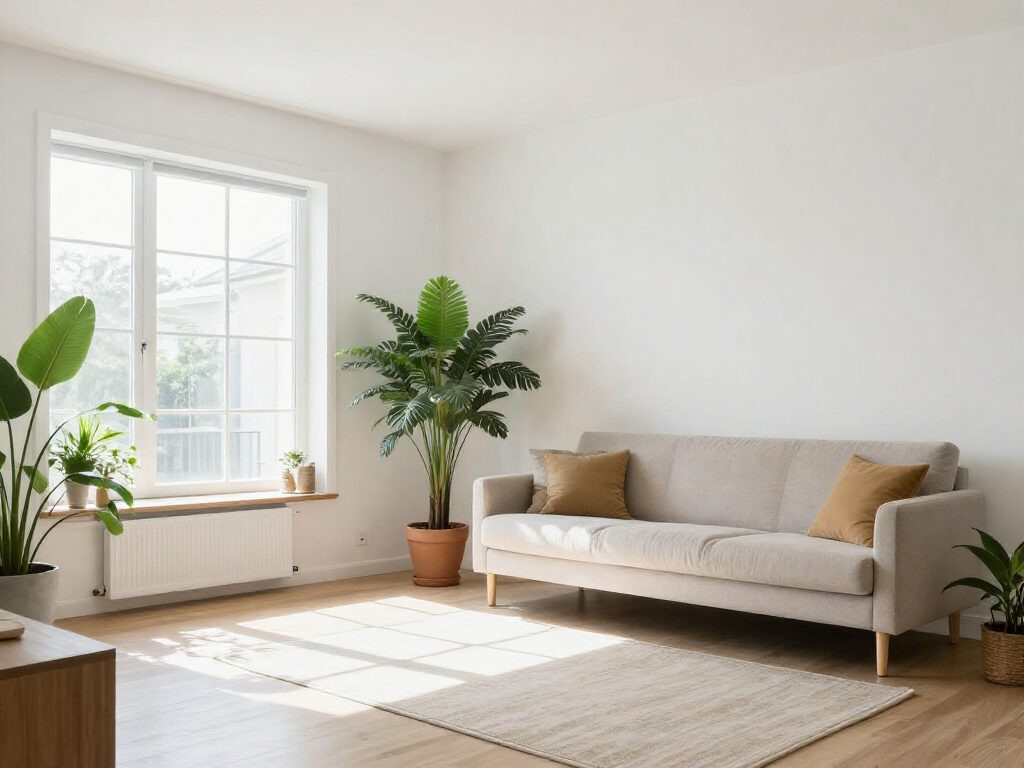
1 AI Model, One Inpaint Tool
Remove Anything from a Photo
Photobombers, power lines, trash on the lawn, a logo you cannot show — paint over the area and describe the clean background that should replace it ("empty sandy beach", "plain brick wall"). The model rebuilds the region to match the surrounding scene instead of leaving a smudge.
Try AI InpaintingReplace Elements Instead of Reshooting
Swap the drink on the table for a coffee, turn a plain t-shirt into a denim jacket, change the flowers in a vase. Because only the masked region regenerates, the subject, pose and framing you already liked stay exactly as shot — the framed painting in this generated example was added the same way.
Try AI InpaintingFor Sellers: Clean Up Product Shots
Retouch dents, remove stray cables, replace a cluttered corner with clean studio backdrop — without opening a photo editor. At $0.04 per image you can fix an entire product catalog for the price of one stock photo.
Try AI InpaintingFor Creators: Fix the One Bad Detail
A great AI generation with one wrong hand, a portrait with a distracting background sign, a landscape with a blown-out corner — paint the flaw, prompt the fix, and generate up to 4 candidates per run to pick the cleanest blend.
Try AI InpaintingDial In the Edit with Strength
The advanced Strength slider (default 0.85) controls how far the masked region departs from the original. Lower it for subtle retouches that keep more of the source texture; push it to 1 for a full rebuild of the painted area.
Try AI InpaintingHow It Works
Step 1: Upload and Paint the Mask
Add your photo, then paint over the area you want to change with the mask brush — big sweeps or precise strokes, only the painted region will be edited.
Step 2: Describe the Replacement
Type what should appear in the masked region — an object, a texture, or clean background. Set the image count and optionally adjust Strength.
Step 3: Generate and Compare
Results include a before/after comparison so you can verify the blend. Everything lands in your Creations — download or chain into upscaling or another edit.
How Much Does AI Inpainting Cost?
Every model below runs on one Wandura credit balance — pay only for what you generate, with no separate subscription per model.
| Model | Pricing |
|---|---|
 Qwen Image (Inpaint) Qwen Image (Inpaint) | High quality |
FAQs
Inpainting regenerates a selected region of an image from a text prompt while leaving the rest untouched. You paint a mask over the part to change, describe the replacement, and the AI fills the area so it blends with the surrounding scene.
Upload a source image, paint over the area you want to change with the built-in mask brush, and write a prompt describing what should be painted into that region. Hit Generate — the job runs in the cloud and only the masked pixels are regenerated.
Yes — removal is just inpainting with a background prompt. Paint over the object and describe what the scene looks like without it, for example "empty asphalt road" or "clear blue sky". The model reconstructs the background in its place.
The mask is optional in a pinch: with no painted region, the prompt is applied to the whole image instead of one area. For precise edits, always paint over the exact region — that is what keeps the rest of your photo pixel-identical.
Strength (advanced, 0.01–1, default 0.85) controls how strongly the masked region is regenerated. Lower values stay closer to the original pixels for subtle retouching; higher values give the model full freedom to rebuild the area from your prompt.
Wandura inpainting runs on Qwen Image (Inpaint) at $0.04 per image — the exact price is shown next to the model in the widget, and credits are only deducted when you generate. You can produce 1 to 4 images per run.
Inpainting edits inside the existing frame — you fix or replace a region within the photo. Outpainting extends the canvas outward, generating new scenery beyond the original borders. Use this tool to repair or change content; use AI Outpainting to make the picture bigger.
Every inpainting result renders with a before/after comparison view, so you can flip between the original and the edit and inspect the mask boundary. Generate up to 4 variations per run and keep the cleanest one.
Every generation is saved to your Creations library — preview, download, or chain the result into another tool: upscale it, remove its background, or animate it into a video.