Mimic Motion
Create realistic motion videos from any photo. Upload a character image and a motion template video — the character replicates the movements for promos, greetings, reactions, and short-form content.
Make Your Photo Move Like Any Reference Video
Motion transfer analyzes the gestures, poses and movements in your template video and applies them to the person in your photo — a vacation snapshot waves hello, a portrait busts a victory dance. Wandura runs the two strongest motion-transfer engines available today: Kling 3.0 Motion Control for maximum fidelity and facial consistency, and Wan 2.2 Animate when you want cheaper 720p runs. Both show their real per-second price before you spend anything.
Try Mimic Motion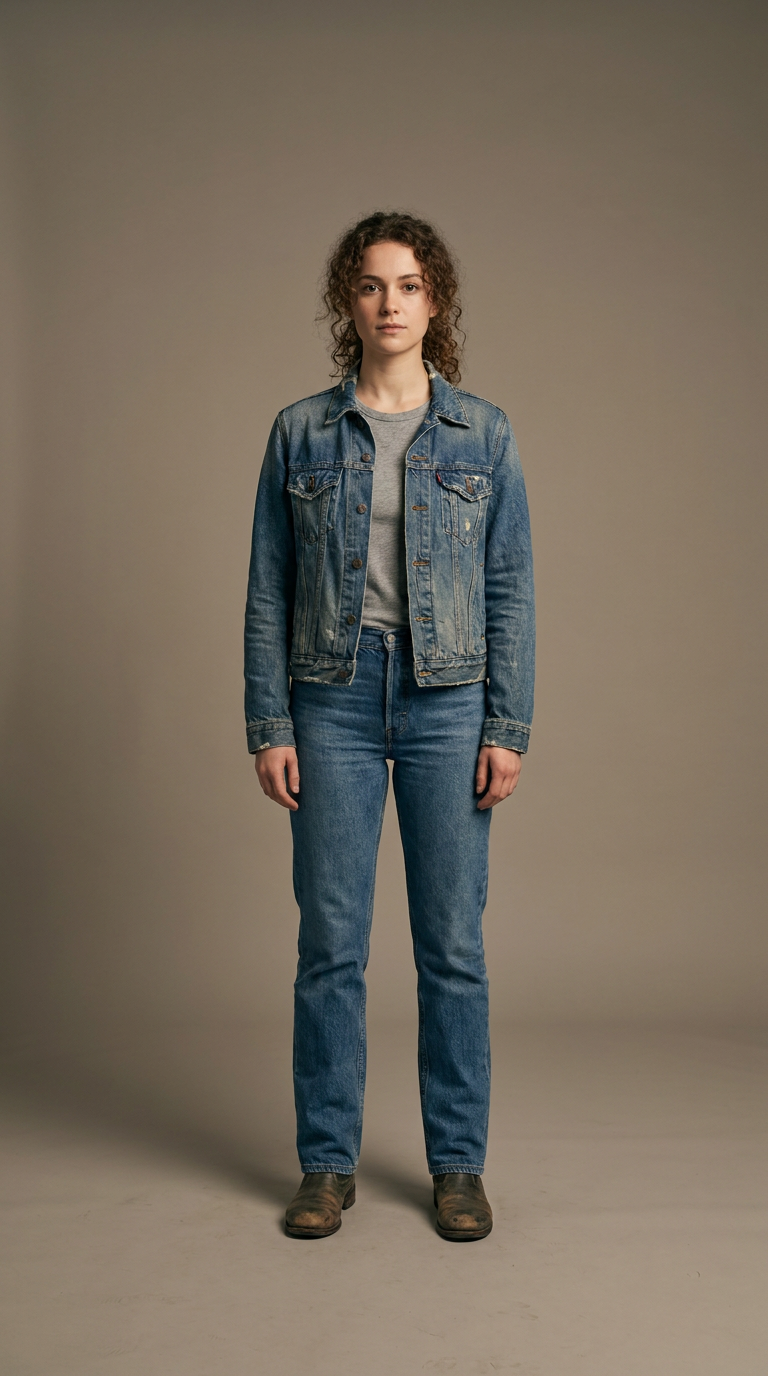
Give a Still Character Real Movement
Mimic motion transfers a reference performance — a dance, a gesture, a walk — onto a still character or portrait, bringing a single image to life with motion that would otherwise take animation or filming. It is a fast way to turn a character design into shareable, moving content.
Use a clean subject image and a reference clip with clear, uncluttered motion, and match the aspect ratio for the smoothest transfer.
2 AI Models, One Mimic Motion Tool
Precise Motion Transfer, Frame by Frame
Every gesture in the reference video is tracked and re-applied to your character — arms, body, head and timing stay in sync with the template. Choose "Follow video" orientation to track templates up to 30 seconds, or "Follow image" to keep your photo's original facing for clips up to 10 seconds.
Try Mimic MotionKeep the Face Consistent
Faces are the first thing to drift in motion transfer. On Kling 3.0 you can attach an optional Face reference — a clear frontal photo of the same person — and the model binds the identity through the whole clip, so the character still looks like themselves mid-dance.
Try Mimic MotionYour Motion, Your Template
There is no fixed library to pick from — record or upload any video whose movement you want to copy. One continuous shot with a steady camera and the subject fully visible transfers best; the upload slot lists the exact requirements so you know before you spend credits.
Try Mimic MotionFor Creators: Short-Form Content from One Photo
Animate a portrait into a greeting, a reaction or a dance clip and post it the same day. Output is a standard video saved to your Creations — download it or chain it into other tools like video upscale.
Try Mimic MotionFor Marketers: Character-Led Promos Without a Shoot
Turn a brand character or founder photo into a moving presenter for ads and campaign assets. Iterate on the motion by swapping templates instead of re-booking talent — you pay per second of generated video, shown up front.
Try Mimic MotionHow It Works
Step 1: Upload Your Photo
Add a clear, well-lit photo — full or upper body with the head fully visible, subject filling at least 5% of the frame.
Step 2: Add a Motion Template
Upload a video with the movement you want to copy: one continuous shot, steady camera, subject always in frame, up to 30 seconds.
Step 3: Create and Reuse
Pick a model, optionally attach a face reference, and hit Create. The finished video lands in your Creations — download, share, or chain it onward.
How Much Does Mimic Motion Cost?
Every model below runs on one Wandura credit balance — pay only for what you generate, with no separate subscription per model.
| Model | Pricing |
|---|---|
 Kling 3.0 Motion Control Kling 3.0 Motion Control | Best quality |
 Wan 2.2 Animate Wan 2.2 Animate | 720p |
FAQs
Mimic Motion — also called motion transfer — takes the movement from a reference video and applies it to the person in your photo, producing a video where your character performs the same motion: dances, gestures, actions.
Kling 3.0 Motion Control is the default: best quality, facial-consistency binding via an optional face reference, and templates up to 30 seconds. Wan 2.2 Animate renders up to 720p at roughly half the price, with adjustable inference steps and output quality in the advanced settings.
Pricing is in credits, per second of generated video, and shown next to each model before you create. Kling 3.0 Motion Control is the premium option; Wan 2.2 Animate costs less per second. Longer clips cost proportionally more.
A sharp, well-lit photo where the subject fills at least 5% of the frame, with the full or upper body visible and the head unobstructed. Front-facing subjects with clear body proportions transfer most accurately.
One continuous shot with a steady camera — no cuts, no camera movement — and the subject fully visible throughout. Keep it under 30 seconds ("Follow video") or 10 seconds ("Follow image"), between 540 and 2048 pixels per side. MP4, MOV and other common formats up to 50 MB are accepted.
Nearly always an input issue: the subject is too small in frame, partially blocked, or the template has cuts and camera shake. Fix the inputs per the hints under each upload slot, and on Kling 3.0 attach a Face reference to lock the identity.
An optional frontal photo of the same person, available on Kling 3.0 with "Follow video" orientation. The model uses it to bind facial identity across frames, noticeably improving how much the animated character still looks like the original.
Typically a few minutes depending on model and clip length — around 4-5 minutes for a Kling 3.0 run. The job runs in the cloud; you can watch progress in the widget and the result is saved even if you leave the page.
Every result is stored in your Creations library. Download the MP4, share it anywhere, or chain it into another tool — for example upscale the video before publishing.