AI Product Placement
Put your product anywhere. Upload a product cutout and a scene photo, choose where it sits, and Wandura composites them into one shot with realistic lighting, shadow and perspective — a lifestyle photo without the photoshoot.
From Cutout to Campaign Shot in One Generation
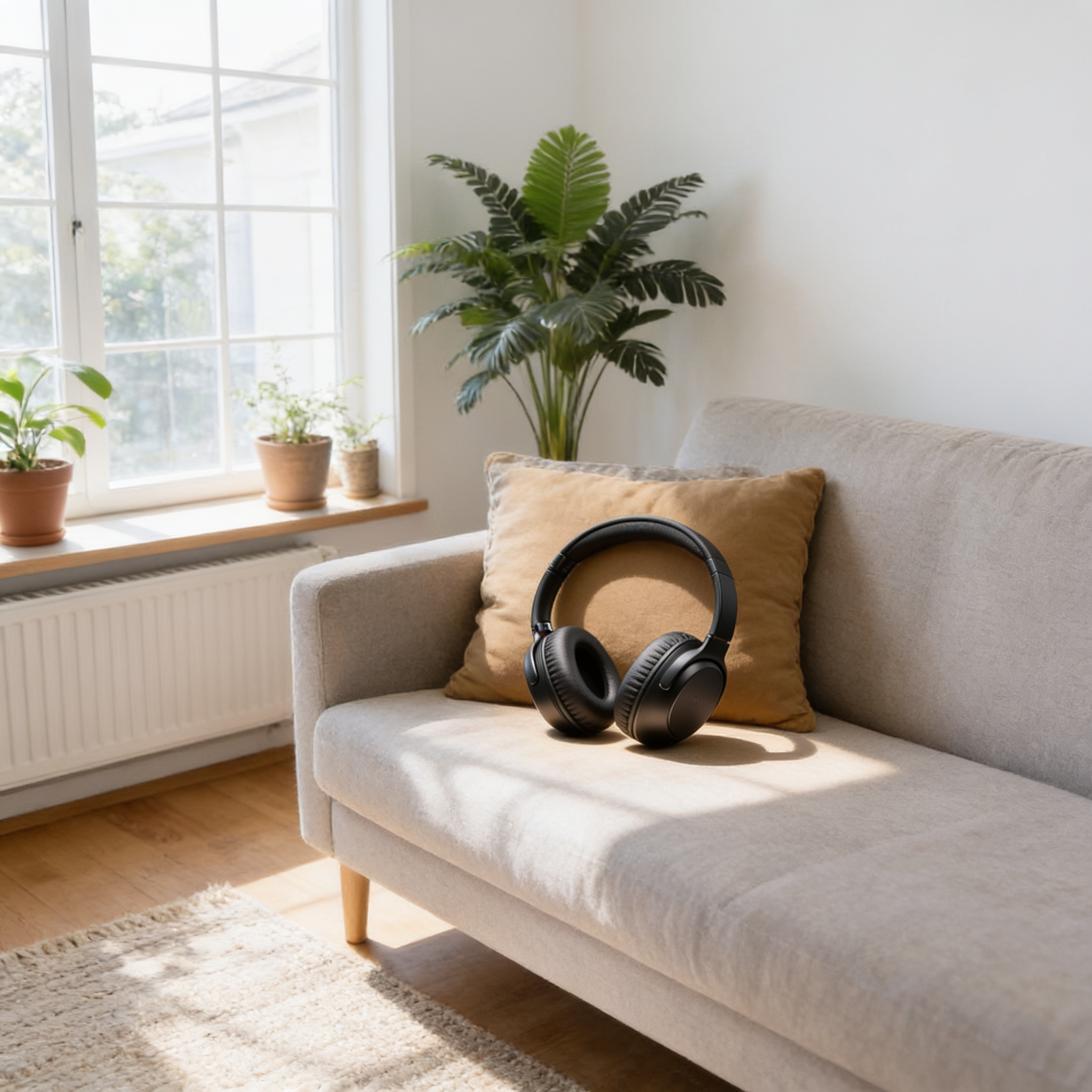
The AI doesn't just paste your product onto a background — it re-lights it to match the scene, grounds it with a believable shadow and corrects the perspective so it looks photographed in place. Nano Banana Pro (Edit) at $0.15 per image delivers maximum realism with resolution up to 4K; Seedream 4.5 (Edit) at $0.04 generates up to 6 variations per run for cheap iteration across scenes. The comparison here is a real generation from this tool: a studio headphones shot placed onto a living-room sofa, lighting and shadow matched automatically.
Try AI Product Placement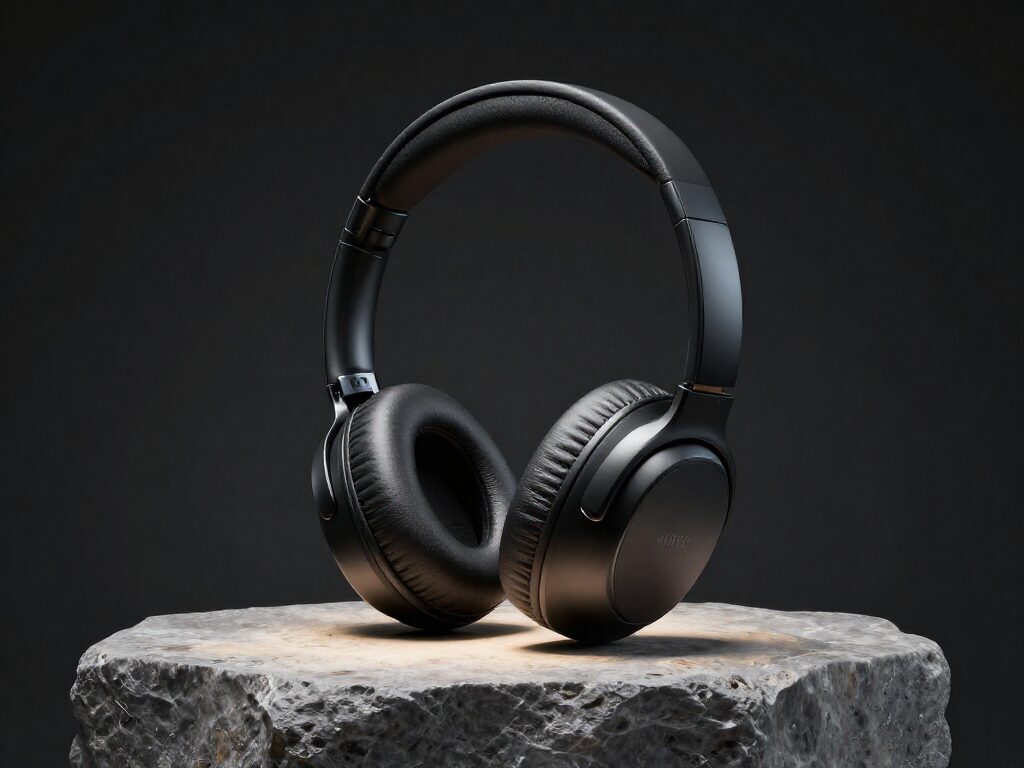
Put Your Product Into Any Scene — No Photoshoot
AI product placement drops a clean product image into a new background or lifestyle scene, so a single pack shot can become dozens of on-brand context photos. It is built for e-commerce sellers and marketers who need lifestyle imagery at the pace of ad testing, without booking a studio for every angle.
Start with a sharp, well-lit cutout of the product and describe the scene you want it in. Because the product stays consistent while the backdrop changes, you can produce a whole set of placements for different audiences and channels from one asset.
2 AI Models, One Product Placement Tool
One Product, Every Setting
Shoot your product once against a plain background, then place it on a marble kitchen counter, a beach towel, a gym bench or a holiday table — each a separate generation, no reshoots. The generated example here dropped the same headphones into an empty living room; the position control (center, left, right, top, bottom) keeps layouts consistent across a series.
Try AI Product Placement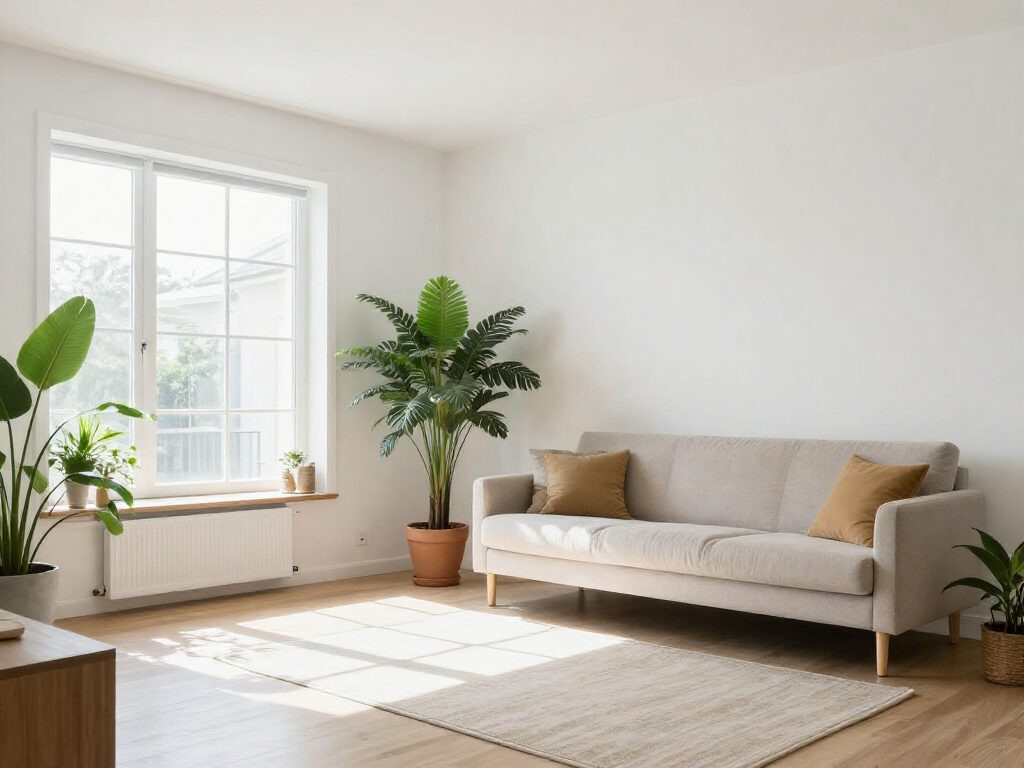
For E-Commerce Sellers: Lifestyle Shots on a Budget
Listings with in-context photos convert better than white-background shots alone. Pair your cutout with scene photos that match your brand and generate lifestyle imagery for the product page — at $0.04 per image on Seedream 4.5, a full listing set costs less than a coffee.
Try AI Product PlacementFor Marketing Teams: Seasonal Campaigns Without Reshoots
Swap the scene, keep the product: spring picnic, summer poolside, autumn desk, winter fireplace. Generate up to 6 variations per run to A/B test which setting sells, then finish the winner on Nano Banana Pro at 2K or 4K for print and display ads.
Try AI Product PlacementFine-Tune the Mood with Instructions
The optional instructions field steers the finish: "soft studio lighting", "golden hour glow", "add subtle reflection on the glass table". The compositing itself — lighting match, shadow, perspective — is handled automatically; your note just directs the art.
Try AI Product PlacementChoose Where the Product Sits
A five-way position control places the product at the center, left, right, top or bottom of the scene — useful for leaving negative space for headlines and price tags in ad layouts, or matching a template across a whole catalog.
Try AI Product PlacementHow It Works
Step 1: Upload Product and Scene
Add your product image — a clean cutout works best — and the scene or background photo you want it placed into.
Step 2: Pick Position and Add Notes
Choose where the product sits (center, left, right, top or bottom), optionally add instructions like "soft studio lighting", then pick a model and image count.
Step 3: Generate and Reuse
Results are saved to your Creations — download them, or chain the shot into another tool: upscale it for print, or animate it into a product video.
How Much Does AI Product Placement Cost?
Every model below runs on one Wandura credit balance — pay only for what you generate, with no separate subscription per model.
| Model | Pricing |
|---|---|
 Nano Banana Pro (Edit) Nano Banana Pro (Edit) | High quality |
 Seedream 4.5 (Edit) Seedream 4.5 (Edit) | Cheap · up to 6 images |
FAQs
It composites a product image into a scene photo and generates one realistic shot — the AI matches the scene's lighting, adds a grounded shadow and corrects perspective so the product looks like it was photographed there.
Two: a product image (a cutout on a plain or transparent background works best) and a scene or background photo. Both are required — the product comes from the first image, the setting from the second.
Upload the product and the scene, choose a position, optionally add short instructions, and hit Generate. The two images are sent together to the model with a compositing directive for realistic lighting, shadow and perspective. Jobs run in the cloud — no local GPU needed.
Yes — a position selector places the product at the center (default), left, right, top or bottom of the scene. For finer art direction, add instructions in the optional prompt field.
Background Changer starts from a finished photo and replaces what's behind the subject. Product Placement starts from two separate images — a product cutout and a scene you choose — and composites them together with position control. Use Background Changer to fix an existing shot; use Product Placement to build a new one from parts.
Two models: Nano Banana Pro (Edit) at $0.15 per image — highest realism, with a resolution setting up to 4K and up to 4 images per run — and Seedream 4.5 (Edit) at $0.04 per image with up to 6 variations per run. Real prices are shown in the widget; credits are deducted only when you generate.
No — the compositing instruction is built in. The optional field is for extra direction like "soft studio lighting" or "add steam rising from the cup". Leave it empty and you still get a realistic placement.
The whole point of the tool is that it shouldn't — lighting, shadow and perspective are matched to the scene during generation. A clean product cutout and a scene with clear surfaces give the most convincing results; generating a few variations helps you pick the best blend.
Every generation lands in your Creations library — preview, download, or chain the shot into another tool: upscale it, restyle it, or turn it into a product video.