AI Outpainting
Your photo, only bigger. Upload an image, choose the aspect ratio you need, and Wandura extends the scene beyond its original borders — new sky, more landscape, wider room — continuing naturally from what is already there.
Uncrop Any Image to Any Ratio
Wandura outpainting runs on two models: Nano Banana Pro (Edit) at $0.15 per image for maximum fidelity with resolution up to 4K, and Seedream 4.5 (Edit) at $0.04 for cheap batches of up to 6 variations. Pick the target ratio, optionally hint what the new area should contain, and the AI paints past the frame while matching your photo’s lighting, perspective and style. The comparison here is a real generation: a 4:3 portrait expanded to a full 16:9 frame by this tool.
Try AI Outpainting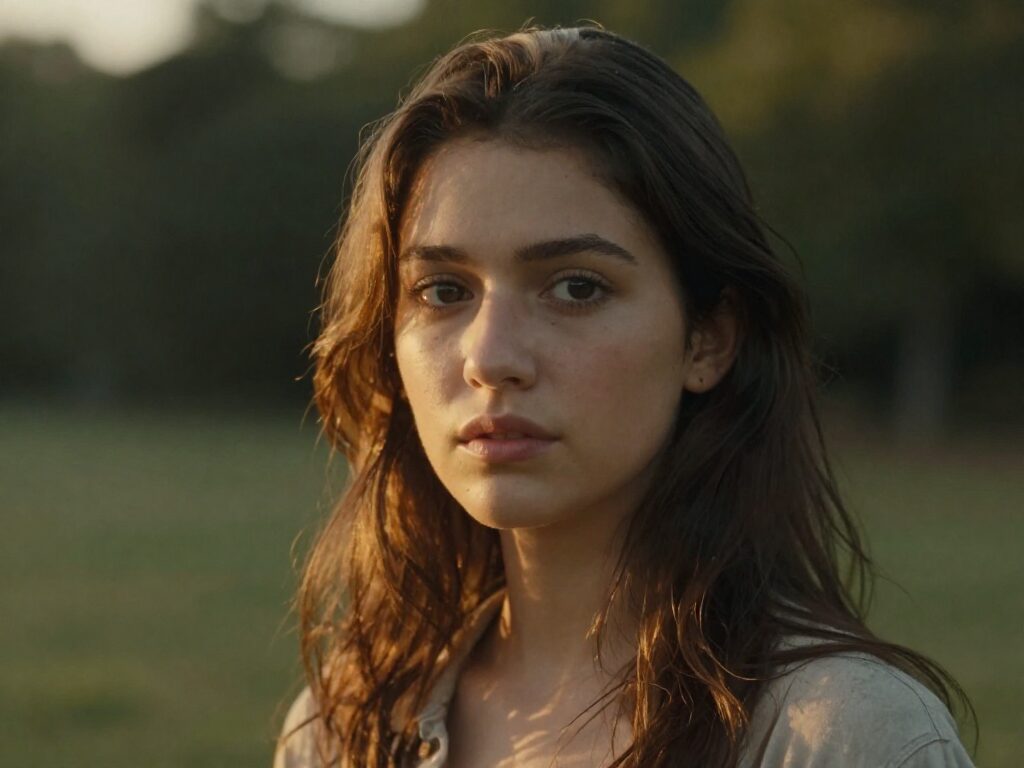
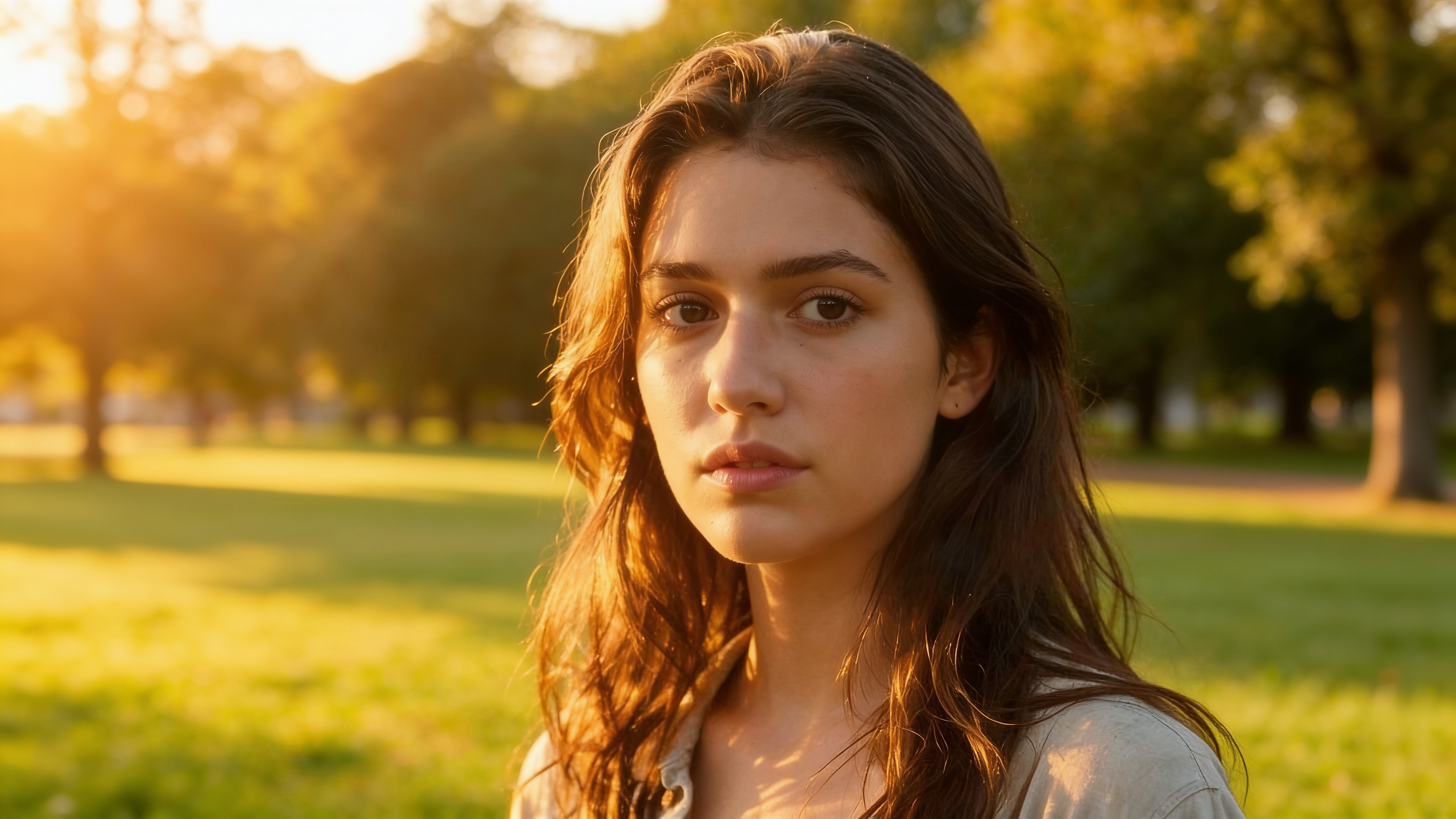
2 AI Models, One Outpaint / Expand Tool
One Shot, Every Platform Format
A square product photo becomes a 16:9 banner; a landscape shot becomes a 9:16 story. Instead of cropping away your subject or stretching pixels, outpainting generates real scenery to fill the new format — the generated 16:9 example here started life as a 4:3 portrait.
Try AI OutpaintingRescue Photos Framed Too Tight
The moment was perfect but the crop was not — a portrait with the head nearly touching the edge, a building missing its top floor. Expand the canvas and the model reconstructs what the lens missed, continuing walls, sky and ground convincingly.
Try AI OutpaintingFor Designers: Room for Type and Layout
Hero banners need negative space for headlines and buttons. Extend a photo sideways or upward to create clean, on-style breathing room instead of pasting the image onto a flat color block that never quite matches.
Try AI OutpaintingSteer the Expansion with a Prompt
The scene prompt is optional — leave it empty and the model simply continues what it sees. Add one to direct the new area: "more mountain range and dramatic clouds", "the café interior continues with more tables". You control how much story the extra canvas tells.
Try AI OutpaintingExplore Cheap, Deliver Sharp
Run up to 6 variations per generation on Seedream 4.5 at $0.04 each to find the best continuation, then rerun the winning direction on Nano Banana Pro at 2K or 4K for final delivery. Real per-image pricing is shown next to each model.
Try AI OutpaintingHow It Works
Step 1: Upload Your Image
Add the photo you want to extend — any subject, any original size. It stays intact at the center of the new canvas.
Step 2: Pick the Target Ratio
Choose the aspect ratio to expand to, select a model, and optionally add a scene prompt describing what the new area should contain.
Step 3: Generate and Reuse
Results are saved to your Creations — download them, or chain the expanded image into another tool: upscale it, restyle it, or animate it into video.
How Much Does AI Outpainting Cost?
Every model below runs on one Wandura credit balance — pay only for what you generate, with no separate subscription per model.
| Model | Pricing |
|---|---|
 Nano Banana Pro (Edit) Nano Banana Pro (Edit) | High quality |
 Seedream 4.5 (Edit) Seedream 4.5 (Edit) | Cheap · up to 6 images |
FAQs
Outpainting (also called uncropping or image extending) generates new image content beyond the original borders of a photo. The AI analyzes the existing scene and continues it naturally — matching lighting, perspective, textures and style — to fill a larger canvas.
Upload a source image, pick the aspect ratio you want to expand to, and optionally add a scene prompt. Wandura instructs the model to extend the image to that frame and continue the scene naturally — your original pixels anchor the center, the AI paints the rest.
No — the prompt is optional. Without one, the model continues the existing scene on its own. Add a prompt when you want to steer what appears in the new area, like "continue with more landscape" or "extend the studio backdrop".
Two models: Nano Banana Pro (Edit) at $0.15 per image — highest quality, with a resolution setting up to 4K — and Seedream 4.5 (Edit) at $0.04 per image, which generates up to 6 variations per run. Prices are shown in the widget and credits are deducted only when you generate.
Pick any ratio from the aspect selector — square, widescreen 16:9, vertical 9:16 and more. The model extends the canvas to exactly that frame, which makes it ideal for reformatting one photo across different platforms.
They are opposites: outpainting expands the canvas outward and generates new scenery beyond the borders, while inpainting edits inside the frame — you paint a mask over a region and regenerate just that area. Use AI Inpainting to fix content, AI Outpainting to add canvas.
The model is instructed to continue the scene naturally, so it carries over lighting, perspective and style from your source. Generating several variations per run and picking the best continuation is the reliable way to get a seamless result.
Up to 4 per run on Nano Banana Pro (Edit) and up to 6 on Seedream 4.5 (Edit). Batching variations is the cheapest way to explore different continuations of the same expansion.
Every generation is stored in your Creations library — preview, download, or send the expanded image straight into another tool: upscale it, transfer a new style onto it, or turn it into a video.