Start & End Frame to Video
You choose the first frame and the last frame — AI films everything in between. Upload two images and get one continuous shot that travels from A to B, with motion, camera work and native audio generated for you.
Two Images In, One Continuous Shot Out
Start & End Frame gives you the control other video generators lack: instead of hoping a prompt lands, you pin down exactly where the shot begins and exactly where it ends. Wandura runs it on Veo 3.1 First-Last at $0.20 per second of generated video — shown in the widget before you create — producing 4, 6 or 8-second clips at up to 1080p, with native audio generated alongside the visuals. The example here is a real generation: a daytime sky as the start frame, a sunset version of the same scene as the end frame, and the video you see is the transition the model filmed between them.
Try Start & End Frame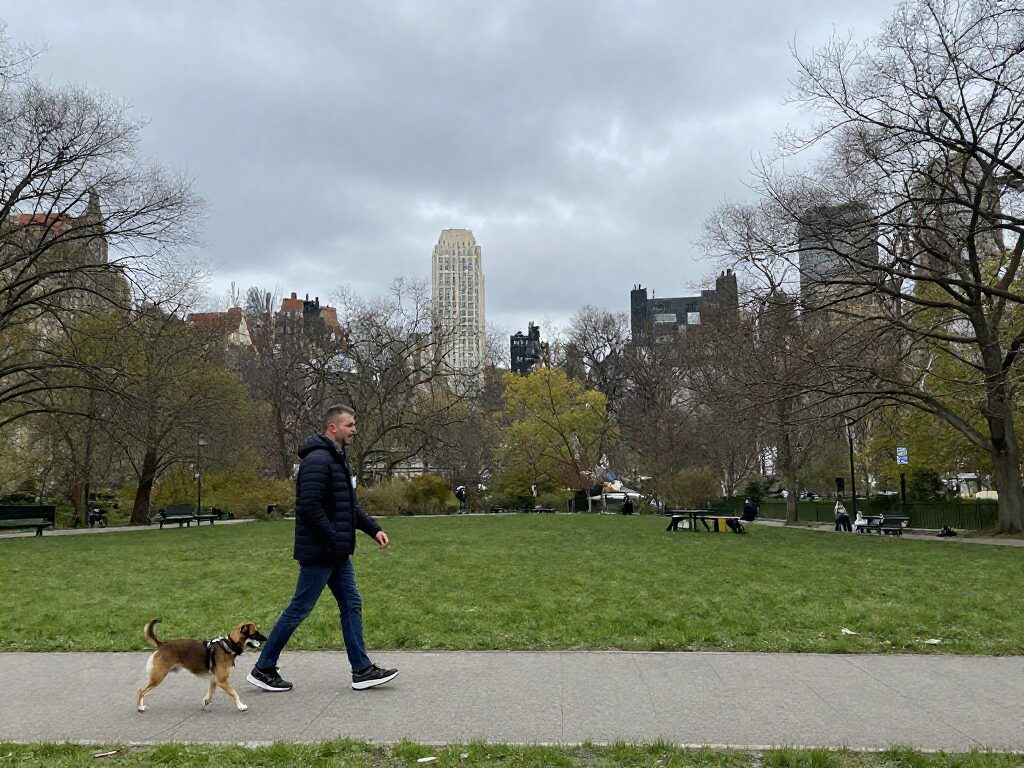
1 AI Model, One Start + End Frame Tool
Direct the Shot, Not Just the Idea
Both frames are anchors the model must honor, and an optional motion prompt steers the journey between them — "the camera glides forward as day turns to night". You control composition at both ends; the AI solves the physics, motion and transitions in the middle.
Try Start & End FrameMorph Between Two Worlds
A sketch that becomes a finished painting, a product that transforms into its next generation, a face that ages thirty years — when the two frames differ dramatically, the model builds a morph that reads as one continuous transformation rather than a crossfade. The generated clip here travels from a daytime sky to the sunset end frame shown as its anchor.
Try Start & End Frame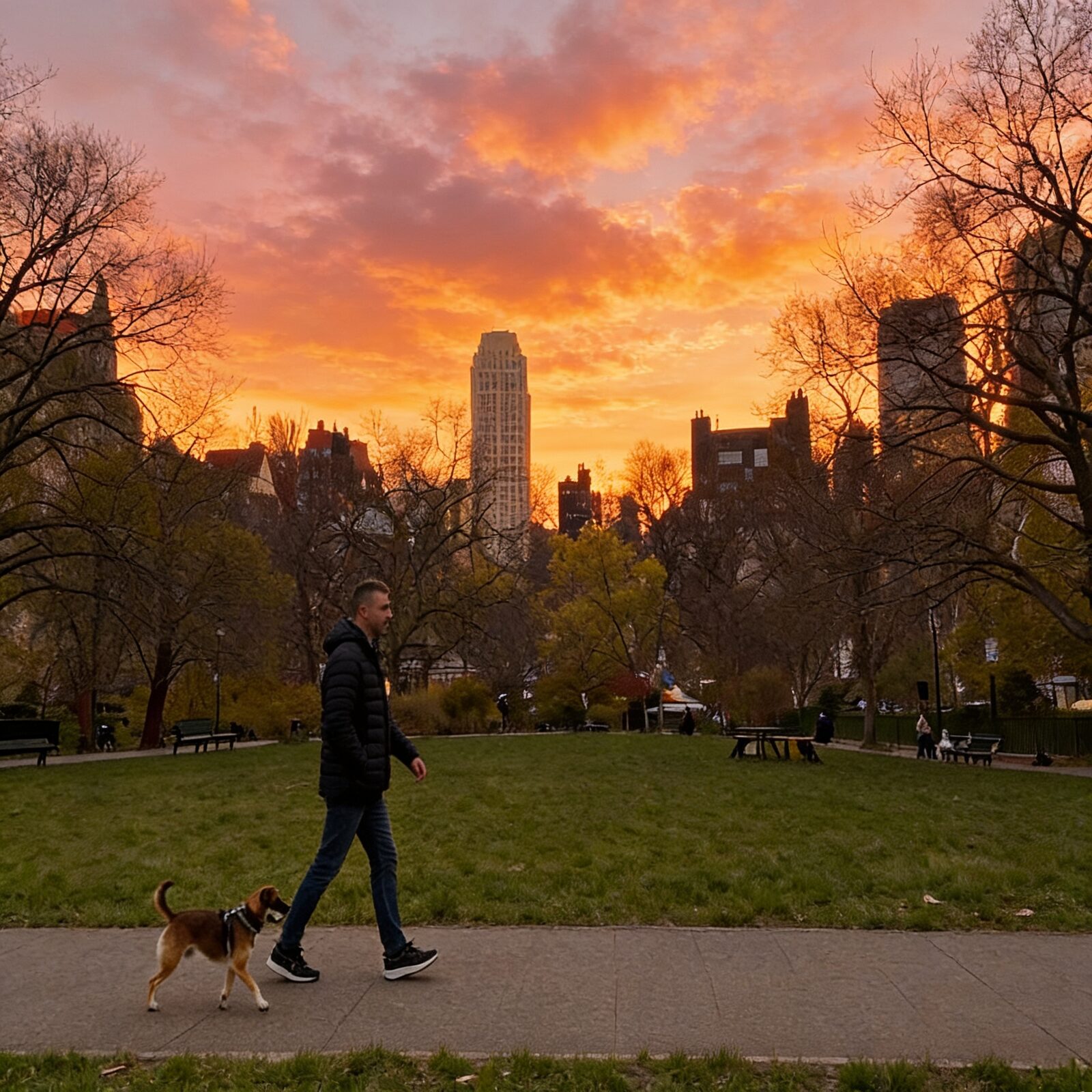
For Creators: Custom Transitions Between Scenes
Use the last frame of one clip as the start frame and the first frame of your next clip as the end frame — the generated shot becomes a custom transition that stitches two scenes together. Chain several and you have a longer sequence with intentional, directed cuts.
Try Start & End FrameFor Marketers: Before/After Stories That Move
Before/after is the oldest ad format there is — this tool turns it into video. The messy room becomes the styled interior, the bare face becomes the finished look, the old packaging becomes the rebrand, all in one continuous 8-second shot with sound.
Try Start & End FrameBatch Variations in One Run
Generate up to 4 videos per run from the same frame pair and pick the interpolation you like best — the in-between motion varies between takes even with identical inputs. An auto-upscale toggle can bump the winner's quality as a post step.
Try Start & End FrameHow It Works
Step 1: Upload Your Two Frames
Add the start frame and the end frame — both required. Frames with matching orientation and comparable framing produce the smoothest motion.
Step 2: Steer the In-Between
Optionally describe the motion, then pick duration (4, 6 or 8 seconds), aspect ratio, resolution, and whether to generate native audio.
Step 3: Create and Reuse
Generate up to 4 takes per run. Results land in your Creations — download the best one, extend it, or chain it into another tool.
How Much Does Start & End Frame Video Cost?
Every model below runs on one Wandura credit balance — pay only for what you generate, with no separate subscription per model.
| Model | Pricing |
|---|---|
 Veo 3.1 First-Last Veo 3.1 First-Last | Interpolate frames |
FAQs
A video generation mode — also called first-last frame interpolation — where you supply the exact first and last frames as images, and the AI generates the video connecting them: motion, camera movement and everything in between.
The tool runs on Veo 3.1 First-Last at $0.20 per second of generated video — the price is shown in the widget before you create. An 8-second clip therefore costs about $1.60 per video, and credits are deducted only when you generate.
Yes — the start frame and the end frame are both mandatory; they are the whole premise of the tool. The motion prompt, by contrast, is optional: leave it empty and the model interpolates the most natural path between your frames on its own.
Frames sharing the same orientation and a plausible spatial relationship interpolate most smoothly — same scene from a moved camera, same subject in a new pose, same composition in a new style. Two completely unrelated photos still work, but read as a morph rather than a camera move.
You choose 4, 6 or 8 seconds per run (default 8). Need a longer sequence? Chain runs — reuse an ending as the next start frame, or send the result through Video Extend to add 4–8 more seconds.
Yes — native audio is on by default: Veo 3.1 generates ambient sound and effects that match the visuals. Toggle it off in the widget if you plan to add your own soundtrack in the edit.
Output is 720p or 1080p, in 16:9 or 9:16 — or leave aspect on auto and the model follows your frames. There is also an auto-upscale toggle that runs a quality pass on the result after generation.
Image to Video animates a single image and the prompt alone decides where the shot goes. Start & End Frame pins down the destination too — use it whenever the final composition matters as much as the first one, like transitions, morphs and before/after reveals.
Every take is stored in your Creations library. Download the MP4, generate more variations from the same frames, or chain the result onward — upscale it or extend it into a longer cut.
Yes — you get full commercial rights on all paid plans.