AI Emotion Video
Turn a portrait photo into a video performance with the exact emotion you choose. Pick happy, sad, angry, surprised or neutral, dial the intensity, optionally add a voice track — and the face comes alive with that feeling.
Direct the Feeling, Not Just the Face
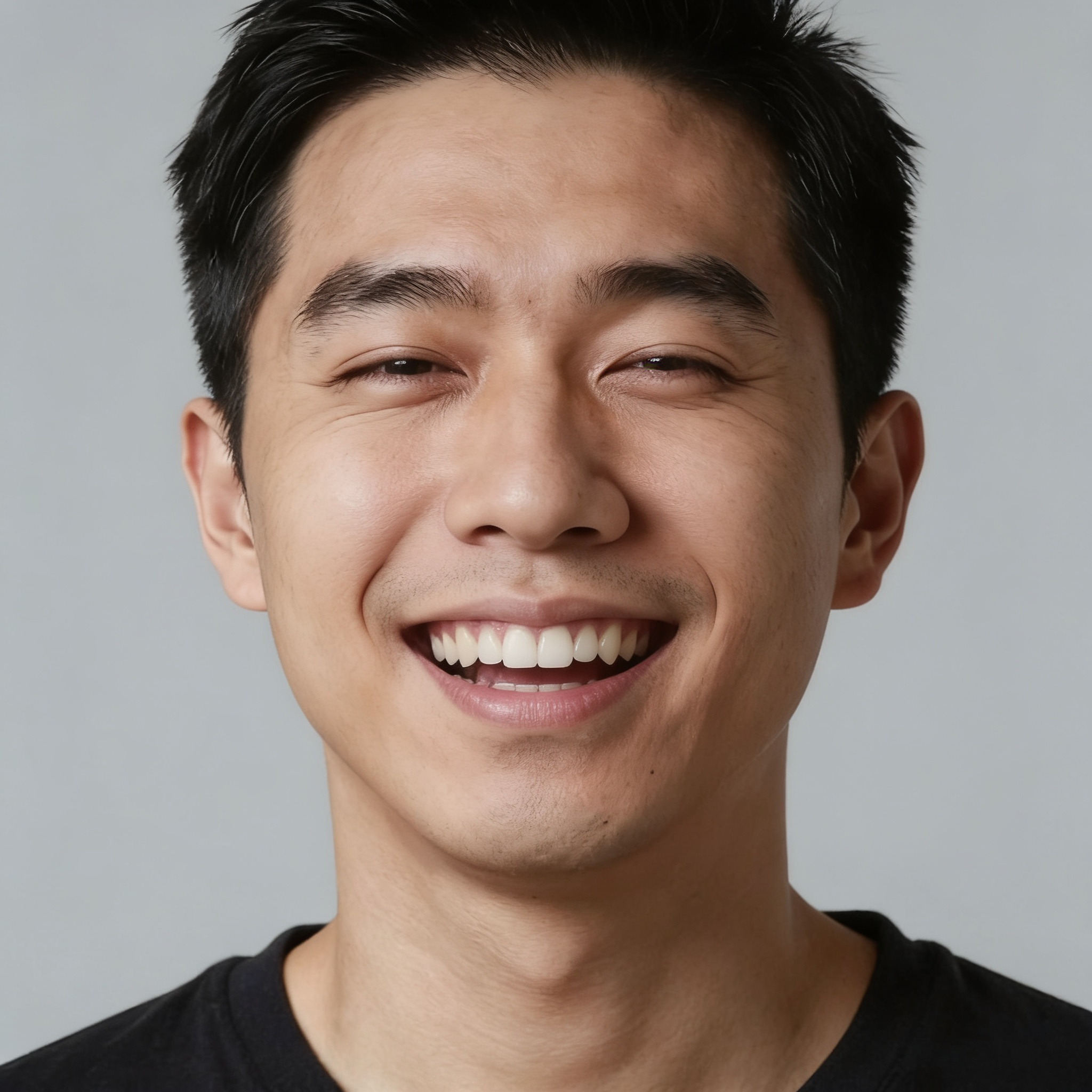
Most avatar tools animate a photo; Emotion Control lets you direct the performance. You choose one of five emotions and one of three intensity levels, and the tool translates your choice into an expression instruction the model follows — a subtle smile or a beaming one, quiet sadness or visible grief. Wandura runs it on OmniHuman 1.5 by default (with VEED Fabric 1.0 as an alternative), rendering at up to 1080p, with each model's price shown in the widget before you create. The pair here shows the idea: the neutral portrait on the left, the same face on the right with the emotion set to happy at strong intensity.
Try AI Emotion Video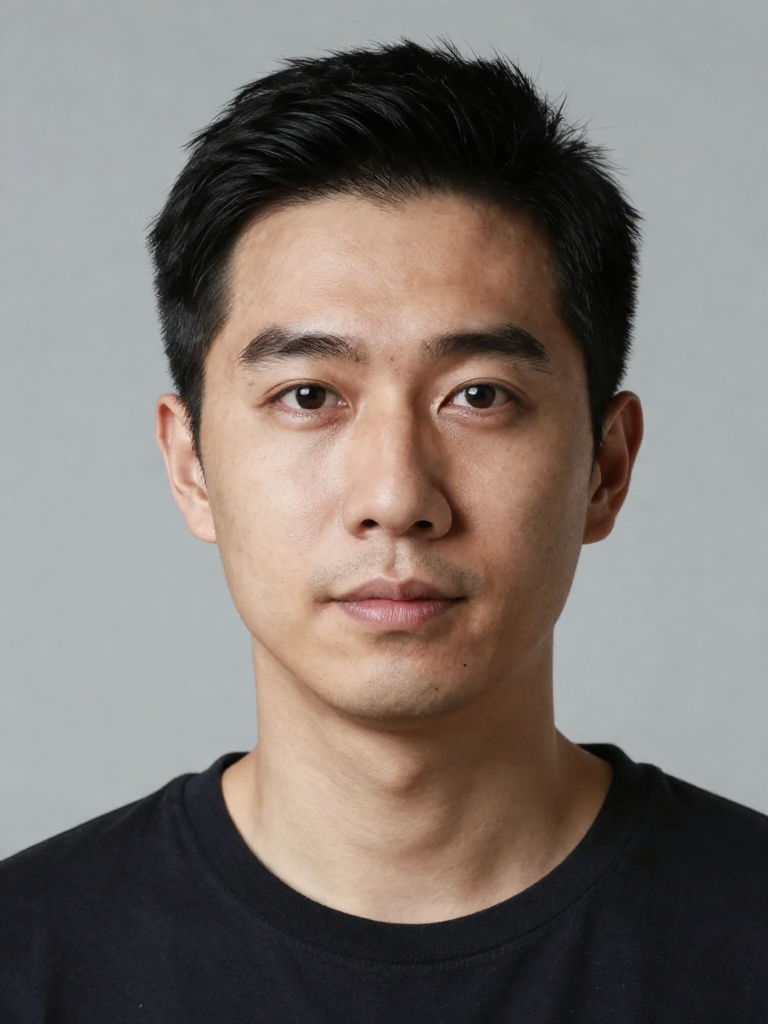
1 AI Model, One Emotion Control Tool
Five Emotions, Three Intensities
Neutral, happy, sad, angry and surprise — each renderable as subtle, medium or strong. That is fifteen distinct reads of the same portrait, so you can match the expression to the script instead of settling for whatever mood the model guesses.
Try AI Emotion VideoAdd a Voice, Get a Performance
Attach a voice audio track up to 60 seconds and the avatar speaks it while holding your chosen emotion — the generated clip here is exactly that: a voice track delivered with happy set to strong. Skip the audio and you get an expressive portrait performance driven purely by the emotion setting.
Try AI Emotion VideoFor Marketers: Spokespeople with the Right Tone
The same brand character can announce good news beaming, deliver a serious message with gravity, or react to a reveal with surprise — one portrait, regenerated per script beat with a different emotion setting, no reshoots and no actor scheduling.
Try AI Emotion VideoFor Creators: Reaction Content on Demand
Shock, delight, outrage — reaction faces are a content genre of their own. Generate the exact reaction your edit needs at the intensity the moment calls for, from a subtle raised eyebrow to full jaw-drop surprise.
Try AI Emotion VideoFor Storytellers: Emotional Range for AI Characters
A character generated in Wandura's image tools can now act: run the same portrait through different emotions to build an expression library, then cut the clips together for dialogue scenes where the character's face follows the story arc.
Try AI Emotion VideoHow It Works
Step 1: Upload a Portrait
Add a photo with a clear, well-lit face — both models require a detectable face to animate.
Step 2: Choose the Emotion
Pick one of five emotions and set the intensity to subtle, medium or strong. Optionally attach a voice audio track up to 60 seconds.
Step 3: Create and Reuse
Hit Create. The video lands in your Creations — download it, rerun the same portrait with a different emotion, or chain it into another tool.
How Much Does AI Emotion Video Cost?
Every model below runs on one Wandura credit balance — pay only for what you generate, with no separate subscription per model.
| Model | Pricing |
|---|---|
 OmniHuman 1.5 OmniHuman 1.5 | Default · emotion via prompt · audio ≤60s |
FAQs
A tool that animates a portrait photo into a video where the person performs a specific emotion you select — happy, sad, angry, surprised or neutral — at a chosen intensity, optionally speaking an audio track you provide.
Your emotion and intensity picks are converted into a performance instruction — for example "speaking with a happy facial expression at strong intensity" — that drives the generation on OmniHuman 1.5. You direct with two dropdowns instead of prompt-engineering the expression yourself.
OmniHuman 1.5 is the default and the one to use for emotion work — it accepts the expression instruction and voice audio up to 60 seconds. VEED Fabric 1.0 is available as an alternative avatar engine, but it does not take a prompt, so the emotion and intensity settings are not applied there.
Each model's real price is shown in the widget next to its name before you create — credits are deducted only when you generate, so you always see the cost of a run up front.
A sharp, well-lit photo with the face clearly visible and unobstructed — both models require a detectable face and will reject images without one. Front-facing portraits with neutral starting expressions give the emotion the most room to read.
No — voice audio is optional. With audio (up to 60 seconds on OmniHuman 1.5), the avatar speaks it in your chosen emotional register; without it, you get an expressive facial performance driven by the emotion and intensity settings alone.
Talking Avatar and Lip Sync answer "what is the face saying" — they sync mouths to audio. Emotion Control answers "how is the face feeling" — the emotional performance is the product, with speech as an optional layer. Use this tool when the delivery matters as much as the words.
You choose 720p or 1080p in the widget, with 1080p as the default on OmniHuman 1.5. On VEED Fabric output is capped at 720p regardless of the setting.
Every result is stored in your Creations library — download the clip, rerun the portrait with another emotion for a full expression set, or chain the video into other tools like Video Upscaler.