Custom AI Avatar
Build a talking avatar from your own photo. Upload a picture of yourself and a voice track — the AI animates your face into natural speech, so you can appear in videos without ever setting up a camera.
Be On Camera Without the Camera
One good photo of you is enough. Wandura animates it with two avatar engines — VEED Fabric 1.0 as the default and OmniHuman 1.5 as the alternative — syncing lip movement, facial expression and head motion to whatever voice track you provide. Record your own audio, or generate the voice inside Wandura first with Text to Speech, AI Voiceover or Voice Clone, then chain it straight in. Pick 720p or 1080p and generate; the per-run price is shown in the widget. The pair here is a real generation on these same avatar engines: a single still portrait on the left, animated into a talking avatar on the right.
Try Custom AI Avatar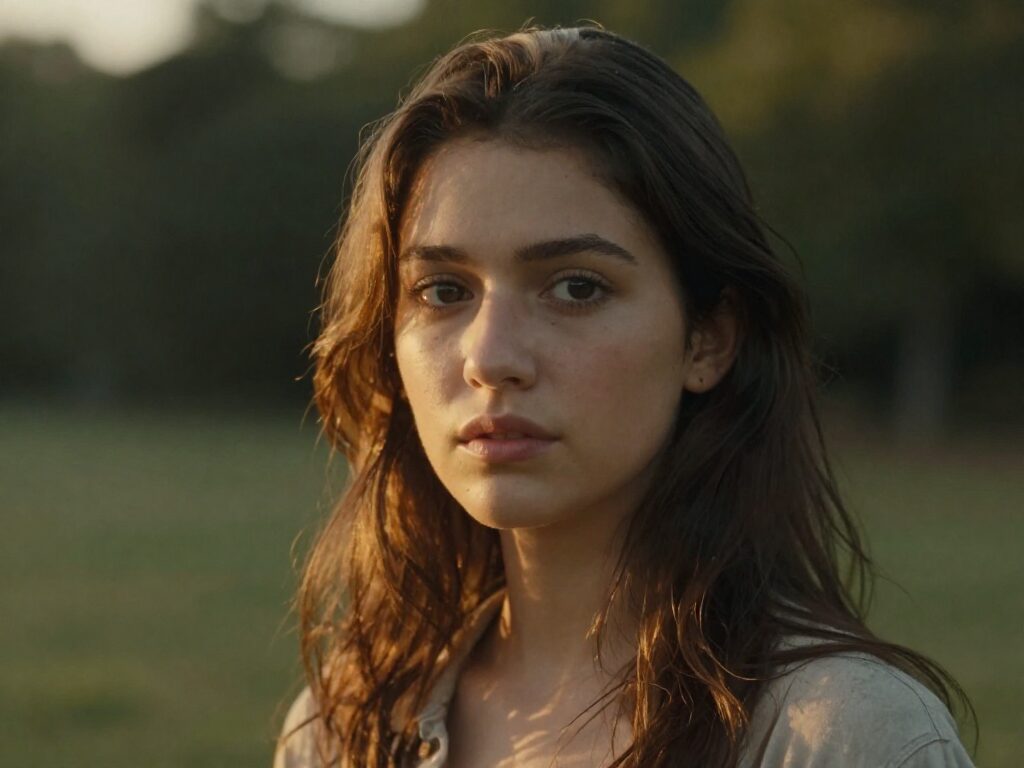
2 AI Models, One Custom Avatar Tool
Personal Presence for Camera-Shy Creators
You want a face in your content — yours — without lighting, retakes or hair days. Upload one flattering photo once, and every future video starts from it: new script, new voice track, same you — the clip playing here was generated from one photo exactly this way.
Try Custom AI AvatarFounder and Sales Videos at Scale
Record a personalized intro for every prospect without booking studio time per clip. Swap the voice track — even a Voice Clone of your real voice reading each personalized script — and your photo delivers it.
Try Custom AI AvatarCourse and Tutorial Presenters
Keep a consistent on-screen instructor across dozens of lessons. When a lesson changes, you re-generate that segment from the updated audio instead of re-shooting a talking-head session.
Try Custom AI AvatarSpeak Languages You Do Not Speak
Generate the narration with AI Voiceover in Spanish, Japanese or German, feed it to your avatar, and present your content to markets you could never record for yourself.
Try Custom AI AvatarSocial Clips Without a Filming Day
Turn a week of post ideas into a week of talking clips in one sitting: one photo, several short voice tracks, several generations. Everything lands in your Creations, ready to download and post.
Try Custom AI AvatarHow It Works
Step 1: Upload Your Photo
Add a clear photo of yourself — the face must be plainly visible for the animation to work.
Step 2: Add the Voice
Upload a voice track, or generate one first with Text to Speech, AI Voiceover or Voice Clone and chain it in.
Step 3: Pick Quality and Generate
Choose 720p or 1080p and a model — the finished talking video saves to your Creations.
How Much Does Custom AI Avatar Cost?
Every model below runs on one Wandura credit balance — pay only for what you generate, with no separate subscription per model.
| Model | Pricing |
|---|---|
| VEED Fabric 1.0 | Default |
 OmniHuman 1.5 OmniHuman 1.5 | Audio ≤60s |
FAQs
It is a talking video built from a photo you provide — typically of yourself. The AI animates the face in the photo to speak your voice track with synced lips and natural motion, producing a video presenter without any filming.
Two things: a photo with a clearly visible face, and a voice audio track. Both models require a detectable face in the image — group shots, heavy occlusion or faceless images will not animate.
VEED Fabric 1.0 is the default; OmniHuman 1.5 is the alternative. Note that OmniHuman accepts voice tracks up to 60 seconds per generation — split longer scripts into segments.
You can select 720p or 1080p in the widget. OmniHuman 1.5 renders both; VEED Fabric outputs at 720p even when 1080p is selected. Pick OmniHuman when full-HD delivery matters.
The per-generation price for each model is shown right in the widget next to the model name. Credits are deducted only when you generate.
Any audio you upload — a phone recording works. Or stay inside Wandura: generate the speech with Text to Speech or AI Voiceover, or clone your own voice from a 10-second-plus sample with Voice Clone, then chain the result into this tool.
They share the same animation engines, but Custom AI Avatar is the build-your-own lane: it is framed around your own photo and adds a resolution choice up to 1080p. AI Talking Avatar is the quick lane for animating any portrait at standard quality.
AI Actors gives you four ready-made presenter portraits to pick from — no photo needed, but the face is not yours. Custom AI Avatar starts from your own image, so the avatar is recognizably you. Use AI Actors for anonymous presenters, this tool for personal presence.
The video length follows your voice track. On OmniHuman 1.5 the track is capped at 60 seconds per run; for longer content, generate segments and cut them together — each lands in your Creations.