AI Filmmaking: How to Make a Short Film With AI
Short answer: To make a short film with AI, plan the film as scenes, save your characters and locations as references, direct the film one shot at a time, check that neighboring shots match, and then join the takes that work in order. In Wandura, Cinema Studio handles the shots and its film editor joins them into one film.
The mindset shift: AI filmmaking is not one big prompt. It is a series of small, checkable shots.
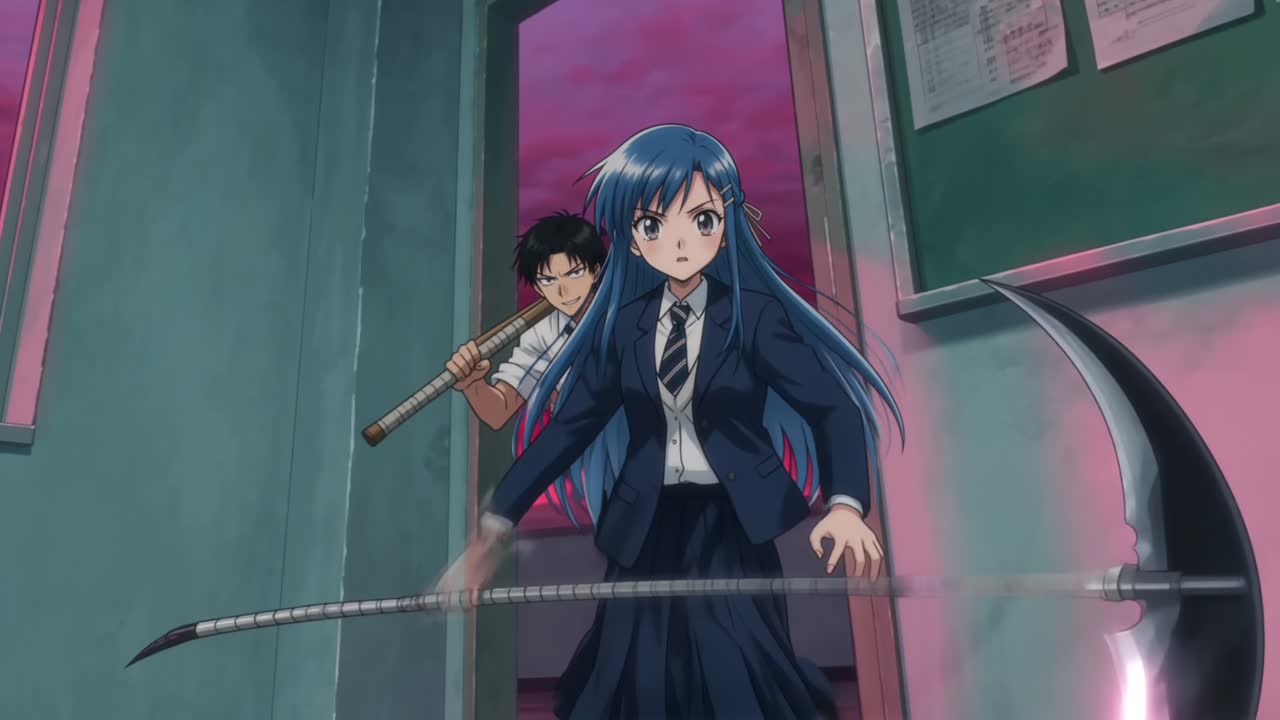 A still from the Anime Production project, listed on Wandura's open-sourced projects page.
AI filmmaking means making a film with AI models generating the shots, while you do the work a director does: decide what the story is, what each shot needs to show, and what to keep. It will not decide those things for you. What it changes is how quickly you can see an idea on screen and try again.
A short film is the right place to start. It is small enough to finish, and it forces you to make real filmmaking decisions: what to show, what to cut, and how the shots fit together.
1. Pick a story you can tell in a handful of scenes
Short films fail when the idea is too big. A useful test: can you describe the film in two sentences, with one main character and one thing that changes? Genre shorts are a good way to practise this: see how to make a 30-second AI action film or a 30-second AI horror film.
Good starting points for a first AI short:
- One character, one problem. A courier who loses a package. A neighbor who hears something at night.
- One location, or two. Every new place is another reference to keep consistent.
- A clear last image. Know the final shot before you make the first.
Aim for a handful of scenes. You can always make a longer film later.
2. Break the film into scenes and shots
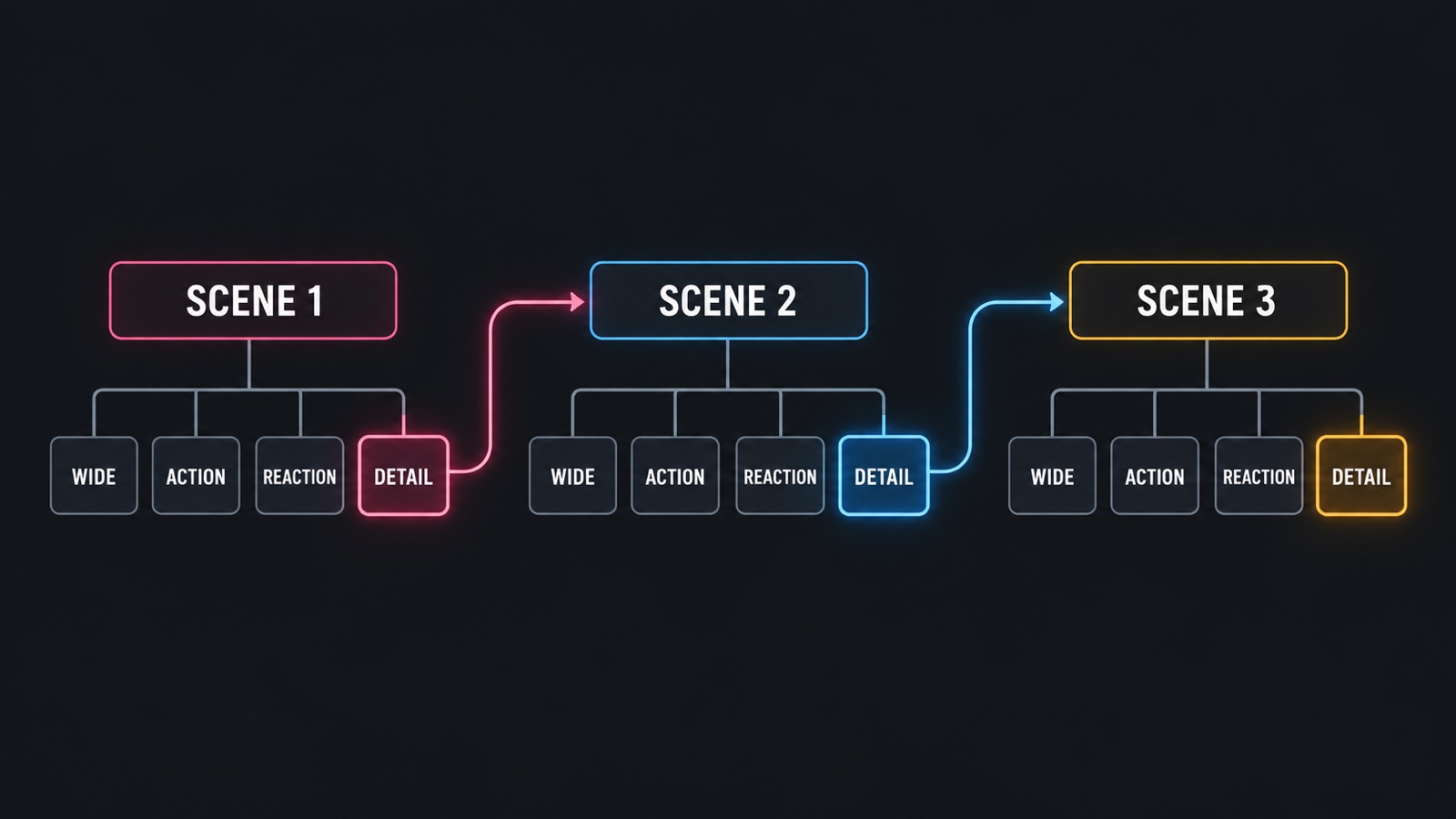 Diagram of a short film split into scenes and shots, with each scene's last shot leading into the next.
A scene is a moment: who is there, where they are, and what happens. A shot is one continuous piece of video that covers part of that moment. Plan your film in this order:
- List the scenes in a line each.
- For each scene, list the shots you need: one that shows where we are, one or two that carry the action, one that shows a reaction, one detail.
- Mark the shot that ends each scene, since it should lead into the next.
If you want to plan from a written script first, Drama Studio splits a script into scenes and draws a storyboard for each before video creation. Our guide to storyboarding a script with AI covers that step.
3. Prepare your references first
This is the step that makes the biggest difference to how your film looks. References are the characters, backgrounds and props you want to appear in more than one shot.
In Cinema Studio, you save references as assets in your project, and add them to any shot that needs them. Reusing the same assets is how you keep faces and places the same from shot to shot. A few habits help:
- Give every main character one clear reference. Use the same one in every shot they appear in.
- Describe outfits and props the same way each time. If the jacket is "green waxed jacket" in shot 1, do not make it "olive coat" in shot 4.
- Keep locations simple. A recognizable room is easier to match than a busy street.
4. Describe each shot, then set it up
For every shot, write what we see and what happens, in plain sentences. Then set the shot up in the composer. In Cinema Studio you can:
- add references from your project assets,
- choose the video model (Wandura Studio 4.0 is selected by default, and you can switch to other video models in the picker),
- set the aspect ratio, resolution and duration the chosen model offers,
- choose how many versions to generate at once with shots per run,
- optionally set the look with camera, color and lighting settings.
Options differ by model, and the composer shows what the model you select supports, so check again after you switch. The Generate button shows the credit cost before you create, so you decide whether to go ahead.
A useful way to write a shot is one subject, one action, one camera idea. "A courier stands at a door, hesitates, then knocks. Medium shot, slow push in." is easier to get right than a paragraph of events.
5. Generate several takes and keep the one that matches
Shots per run lets you generate more than one version of a shot at once. Treat the results like takes on a film set: you rarely keep the first one. Look at each and ask:
- Is it the right character?
- Does the action match what the script needs?
- Would it cut well with the shot before and after?
Keep the take that works in your project and move on.
6. Check continuity between neighboring shots
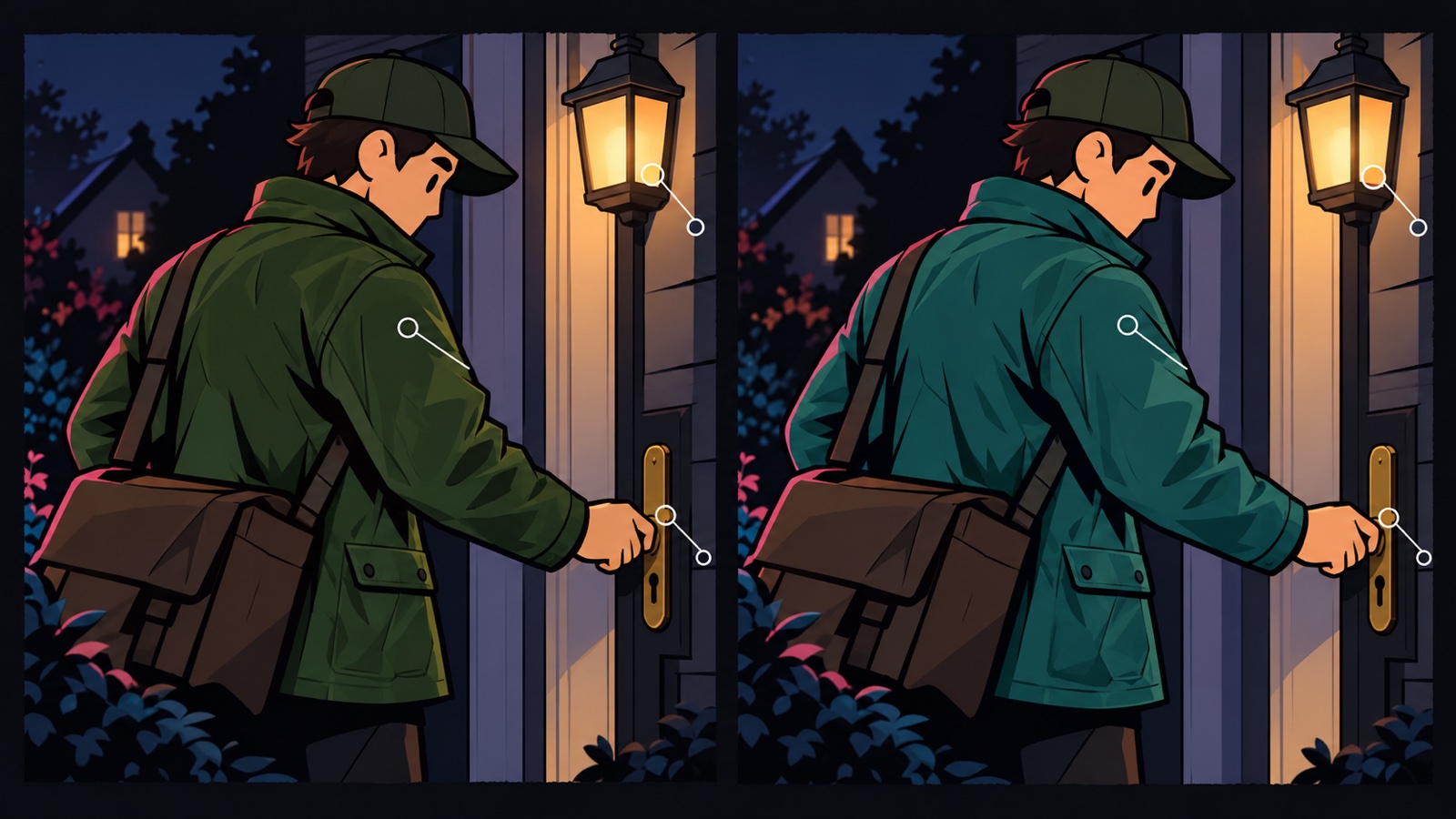 Two neighboring shots compared for continuity of clothing, light and props.
This is where AI films most often fall apart, so give it real attention. Place two shots side by side and compare:
- the last frame of one shot with the first frame of the next,
- the character's face, hair and clothing,
- the light and the time of day,
- where props and background objects sit.
Drift still happens with AI-generated shots, so review every cut. If a shot drifts, regenerate it with the same references and a clearer description rather than changing everything at once.
7. Join the shots into one film
When you have the shots you want, open the film editor in Cinema Studio. It joins up to 12 shots in order into one film of up to 3 minutes, adds a music track and exports one video. Titles and on-screen text are not part of the editor yet, so if your film needs them, add them in another tool.
You can also download any generated shot from your project if you prefer to edit elsewhere.
8. Watch it cold
Watch the finished film once without stopping, ideally on the screen your audience will use. Write down the first place you got bored or confused. That is the cut to make. Short films get better by removing things, not by adding them.
How to do this in Wandura
- Open Cinema Studio from the AI movie maker page and start a project.
- Add your characters, backgrounds and props as assets.
- Write each shot, add references, and set the model and settings.
- Check the cost on Generate, then generate.
- Compare each shot with its neighbors, regenerate any that drift, and keep the take that works.
- Join your shots in the film editor and export.
For the full tool page, see AI movie maker. If you want to see how others set up their projects, the open-sourced projects page lists cinematic projects made in Cinema Studio: open one to see the presets behind its look, then remix it with your own reference. New accounts get free credits, and the first result carries a wandura.ai watermark.
Two follow-ups cover the rest of the pipeline: turn a script into a video and plan a 90-second episode. For a story told in episodes, see how to make an AI drama series, and for a quick seasonal clip made from one photo, see how to make a Halloween video with AI.
Frequently Asked Questions
How do I make a short film with AI?
Plan the film as scenes and shots, save your characters and locations as references, generate each shot, check that neighboring shots match, then join the takes that work in order. In Wandura, Cinema Studio makes the shots and its film editor joins them into one film.
What is AI filmmaking?
It is making a film with AI models generating the shots while you direct: you decide the story, describe each shot, choose what to keep and how the shots fit together.
How many scenes should a first AI short film have?
A handful. A film with one main character, one or two locations and one thing that changes is small enough to finish and still teaches you the whole process.
How do I know a shot is ready to keep?
Check that it shows the right character, that the action matches what the scene needs, and that it would cut well with the shot before and after it. If not, generate another take.
What should I plan before generating the first shot?
The scenes in one line each, the shots each scene needs, the shot that ends each scene, and the references you will reuse. Know the final image before you make the first.
How do I choose a story for a short film?
Pick one you can describe in two sentences, with one main character and one thing that changes. If it needs a crowd or many locations, make it smaller.
Keep reading
How to Keep a Character Consistent in AI Video, Shot by Shot
How to Make a 30-Second AI Horror Film: Silence, Knock, Choice
Start creating with 70+ AI models
One account, one credit balance, every model. Pay only for what you generate.
See pricing