How to Make UGC Ads Without Filming (2026 Guide)
To make UGC ads without filming: write 3–5 short hooks, pick an AI creator (or animate a product photo into video) inside an AI UGC video generator, generate the clip, burn in captions, and export it vertical 9:16 — then split-test the hooks and scale the winner. No camera, actor, or editing suite is required, and each variation costs only a few credits instead of a full shoot.
If you run an e-commerce store, you already know UGC-style video converts — but hiring creators is slow and expensive. This guide shows you how to make UGC ads without an actor, a camera, or a filming budget, using AI tools that turn a script or a product photo into a scroll-stopping vertical video.
The goal is not one "perfect" ad. It's shipping several hooks cheaply, seeing which one the algorithm likes, and pouring spend into the winner. UGC (user-generated content) ads work because they feel like a real person talking, not a polished brand spot — and you can now recreate that authenticity convincingly with an AI UGC video generator.
Below is a repeatable, four-step workflow you can run today. It takes minutes per variation instead of days per shoot. Want to see how the tools stack up first? Compare the best UGC ad tools before you start.
What you'll need
- A product to promote — a landing page URL, a few product photos, or both.
- A clear angle or offer (what problem does the product solve, and for whom).
- A UGC ad maker that can either use an AI avatar/creator or animate a product image into video. Wandura runs 72+ AI models behind one account and one credit balance (1 credit = $0.01), so you pay credits per generation instead of a subscription per tool.
- 15–20 minutes for your first ad, then a couple of minutes per extra variation.
No lighting kit, no talent release forms, no editing suite required.
Step 1: Write your hook and script
Start with the hook, because the first 3 seconds decide whether anyone watches. Write 3–5 different opening lines before you touch any tool — different angles beat different edits every time.
Good UGC hooks tend to fall into a few patterns:
- Problem-first: "I wasted $200 on X before I found this."
- Result-first: "This is why my [product] sold out in a week."
- Curiosity/POV: "POV: you finally fix [annoying problem]."
- Objection-buster: "I didn't believe it either, until…"
Keep the whole script to 15–30 seconds of spoken words. If you want to write faster, start from proven structures — grab a few UGC ad script templates and adapt one to your offer instead of inventing a script from scratch. Then open your ad maker and choose the format that matches where the ad will run — for example the TikTok ad maker for TikTok and Reels-style placements. Select a vertical 9:16 canvas so your video fills the phone screen.
Step 2: Choose an AI creator, or animate your product image
Now decide who "delivers" the ad. You have two solid paths, and the best sellers use both.
Option A — AI avatar / creator. Pick a realistic AI presenter that reads your script on camera. This is the classic talking-head UGC look: a "person" holding or reacting to your product. It's ideal for testimonial-style and problem-solution ads where a face builds trust. Wandura's AI UGC video generator handles this end to end, and the AI talking avatar tool turns a single photo plus a script into a lip-synced presenter. If you want a presenter-free version, the faceless video generator leans on voiceover plus b-roll instead of an on-screen actor.
Option B — animate a product image. Upload a clean product photo and turn it into motion — a slow push-in, a subtle rotation, or a lifestyle scene — using image-to-video. This is perfect when you don't want a person at all, or when the product itself is the star (gadgets, skincare, home goods). Under the hood you can pick from video models like Sora 2, Veo 3.1, Kling, or Seedance 2.0 in the AI video generator; heavier resolutions and longer clips cost more credits, so start small while you're testing.
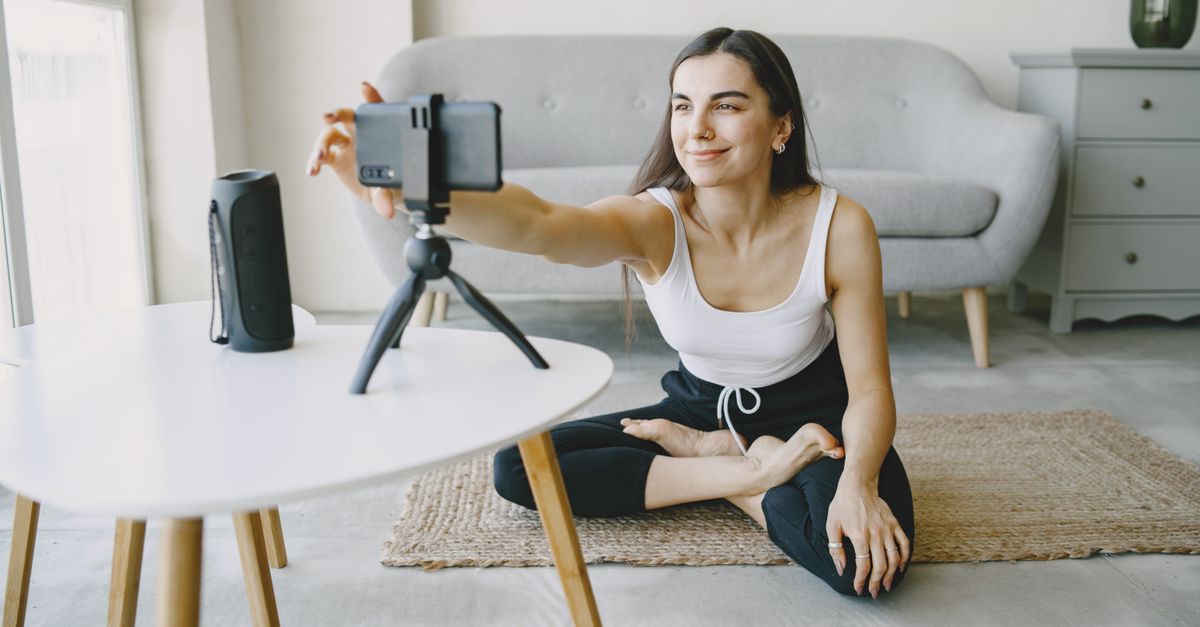
For most e-commerce ads, pair the two: an AI creator hook for the first 3 seconds, then animated product shots for the payoff.
Step 3: Generate, then iterate variations fast
Hit generate and let the model render. This is where AI beats a shoot: instead of one take, you produce a batch.
Because you pay per generation — not per filming day — the cost per test is tiny. Here is what a 5-second 9:16 clip actually costs on Wandura, all from one balance (1 credit = $0.01):
| Approach (5s, 9:16) | Model | Credits | Approx. USD |
|---|---|---|---|
| Talking-avatar UGC | OmniHuman 1.5 | ~147 | ~$1.47 |
| Product image-to-video (budget test) | PixVerse v6, 720p | ~47 | ~$0.47 |
| Product image-to-video (premium) | Seedance 2.0, 720p | ~420 | ~$4.20 |
| Cinematic with native audio | Veo 3.1, 1080p | ~578 | ~$5.78 |
Prices as of July 2026; the exact cost is always shown on the Generate button before you confirm. See pricing for current packs and plans.
A freelance UGC creator, by comparison, typically charges anywhere from tens to hundreds of dollars per video and needs days to brief, film, and deliver — so you can ship 5–10 AI variations of the same offer for less than the price of a single traditional clip.
Once your first ad looks right, change one variable at a time and regenerate:
- Swap the hook (reuse Step 1's alternates).
- Swap the creator/avatar or the product-motion style.
- Swap the pacing or background scene.
Testing many hooks cheaply is the entire point: the algorithm, not your gut, tells you which one wins. Keep a simple naming convention (offer_hook_creator_v1) so you can tie ad-account results back to what you changed.
Step 4: Add captions and export vertical 9:16
Most social video is watched on mute, so captions are non-negotiable. Add burned-in captions that match the spoken words, keep them large and centered, and use a single accent color for emphasis.
Final export checklist:
- Aspect ratio: 9:16 vertical for TikTok, Reels, and Shorts.
- Length: aim for the shorter side of your platform's sweet spot — front-load the hook.
- Captions: on by default, readable at a glance.
- Safe zones: keep text and product away from the top/bottom UI overlays.
- File: MP4, high quality, ready to upload straight into your ad manager.
Then upload your batch, split-test the hooks, and scale the winner. Creator-style video tends to feel more native in-feed and, for direct-response e-commerce, often outperforms polished brand spots — which is exactly why so many performance teams lead with UGC formats.
Tips for better results
- Lead with the problem, not the product. Viewers care about themselves first.
- Sound real. Slightly imperfect, conversational scripts beat corporate copy.
- One idea per ad. Don't cram three benefits into 20 seconds.
- Test 3+ hooks per offer before judging the product or creative angle.
- Match the platform's native feel — a TikTok ad should look like a TikTok, not a TV commercial.
- Reuse winners. When a hook wins, remix it with new creators and products.
FAQ
How do you make UGC ads without a camera or actors? Use an AI UGC video generator: write a hook, pick an AI creator (or animate a product photo into video), generate the clip, add captions, and export vertical 9:16. No filming, talent, or editing software is required — you iterate variations in minutes instead of scheduling a shoot.
Is there a free way to make UGC ads? Yes. Wandura gives you free credits to start, so your first AI UGC ad can cost nothing. After that you pay per generation — paid plans begin at Basic (1,500 credits for $15/month, or $10/month billed yearly), and credit packs start at $10 for 1,000 credits if you'd rather top up as you go. Check the current details on the pricing page.
How much does it cost to make an AI UGC ad?
You pay in credits per generation (1 credit = $0.01), and the amount depends on the model, resolution, and length you choose — with no separate subscription per tool. A 5-second budget test can run as low as 47 credits ($0.47) on an image-to-video model, while a premium cinematic clip with native audio is around 578 credits ($5.78) on Veo 3.1 at 1080p. Shorter, lower-resolution test clips cost less, so you can validate hooks cheaply before spending on a polished final.
Are AI UGC ads allowed on TikTok and Meta? Generally yes. Both platforms allow AI-assisted ad creative, but both also require you to disclose realistic AI-generated or AI-altered content, and all the usual advertising policies still apply. Platform rules change often, so review TikTok's and Meta's current AI-content and advertising guidelines before you scale spend.
AI UGC vs. hiring a real creator — which is better? Real creators bring genuine lived experience and can be worth it for hero campaigns, but they're slower and pricier per asset. AI UGC wins for volume testing — you can generate and compare many hooks cheaply, then reinvest in real creators once you know what converts.
What makes a good UGC ad hook? The strongest hooks speak to the viewer's problem or desired result in the first 3 seconds and sound like a real person, not a brand. Problem-first, result-first, POV, and objection-buster openers all work; the key is to write several and let performance decide instead of polishing just one.
How many UGC ad variations should I test? Ship at least 3–5 hooks per offer before you judge the product or angle. Because each AI variation only costs credits, testing 5–10 versions is cheap — change one variable at a time (hook, creator, pacing) so you can tell what actually moved results.
Do I need editing software to make AI UGC ads? No. An AI UGC ad maker handles generation, captions, and vertical 9:16 export in one place, so you can go from script to upload-ready MP4 without a separate editor. You only need editing software if you want advanced post-production beyond the basics.
Start making UGC ads today
You don't need a studio, a camera, or a single actor to ship UGC that sells — you need hooks, fast iteration, and a tool that turns them into video. Try the AI UGC video generator free, spin up your first batch of vertical ads, and let the winning hook decide where your budget goes.
Frequently Asked Questions
How do you make UGC ads without a camera or actors?
Use an AI UGC video generator: write a hook, pick an AI creator (or animate a product photo into video), generate the clip, add captions, and export vertical 9:16. No filming, talent, or editing software is required — you iterate variations in minutes instead of scheduling a shoot.
Is there a free way to make UGC ads?
Yes. Wandura gives you free credits to start, so your first AI UGC ad can cost nothing. After that you pay per generation — paid plans begin at Basic (1,500 credits for $15/month, or $10/month billed yearly), and credit packs start at $10 for 1,000 credits if you prefer to top up as you go. Check the current details on the pricing page.
How much does it cost to make an AI UGC ad?
You pay in credits per generation (1 credit = $0.01), and the amount depends on the model, resolution, and length you choose — with no separate subscription per tool. A 5-second budget test can run as low as ~47 credits (~$0.47) on an image-to-video model, while a premium cinematic clip with native audio is around ~578 credits (~$5.78) on Veo 3.1 at 1080p. Shorter, lower-resolution test clips cost less, so you can validate hooks cheaply before spending on a polished final.
Are AI UGC ads allowed on TikTok and Meta?
Generally yes. Both platforms allow AI-assisted ad creative, but both also require you to disclose realistic AI-generated or AI-altered content, and all the usual advertising policies still apply. Platform rules change often, so review TikTok’s and Meta’s current AI-content and advertising guidelines before you scale spend.
AI UGC vs. hiring a real creator — which is better?
Real creators bring genuine lived experience and can be worth it for hero campaigns, but they are slower and pricier per asset. AI UGC wins for volume testing — you can generate and compare many hooks cheaply, then reinvest in real creators once you know what converts.
What makes a good UGC ad hook?
The strongest hooks speak to the viewer’s problem or desired result in the first 3 seconds and sound like a real person, not a brand. Problem-first, result-first, POV, and objection-buster openers all work; the key is to write several and let performance decide instead of polishing just one.
How many UGC ad variations should I test?
Ship at least 3–5 hooks per offer before you judge the product or angle. Because each AI variation only costs credits, testing 5–10 versions is cheap — change one variable at a time (hook, creator, pacing) so you can tell what actually moved results.
Do I need editing software to make AI UGC ads?
No. An AI UGC ad maker handles generation, captions, and vertical 9:16 export in one place, so you can go from script to upload-ready MP4 without a separate editor. You only need editing software if you want advanced post-production beyond the basics.
Start creating with 72+ AI models
One account, one credit balance, every model — pay only for what you generate.
See pricing →